ACCESSIBILITY AUDIT
Scaling Accessibility Across Products
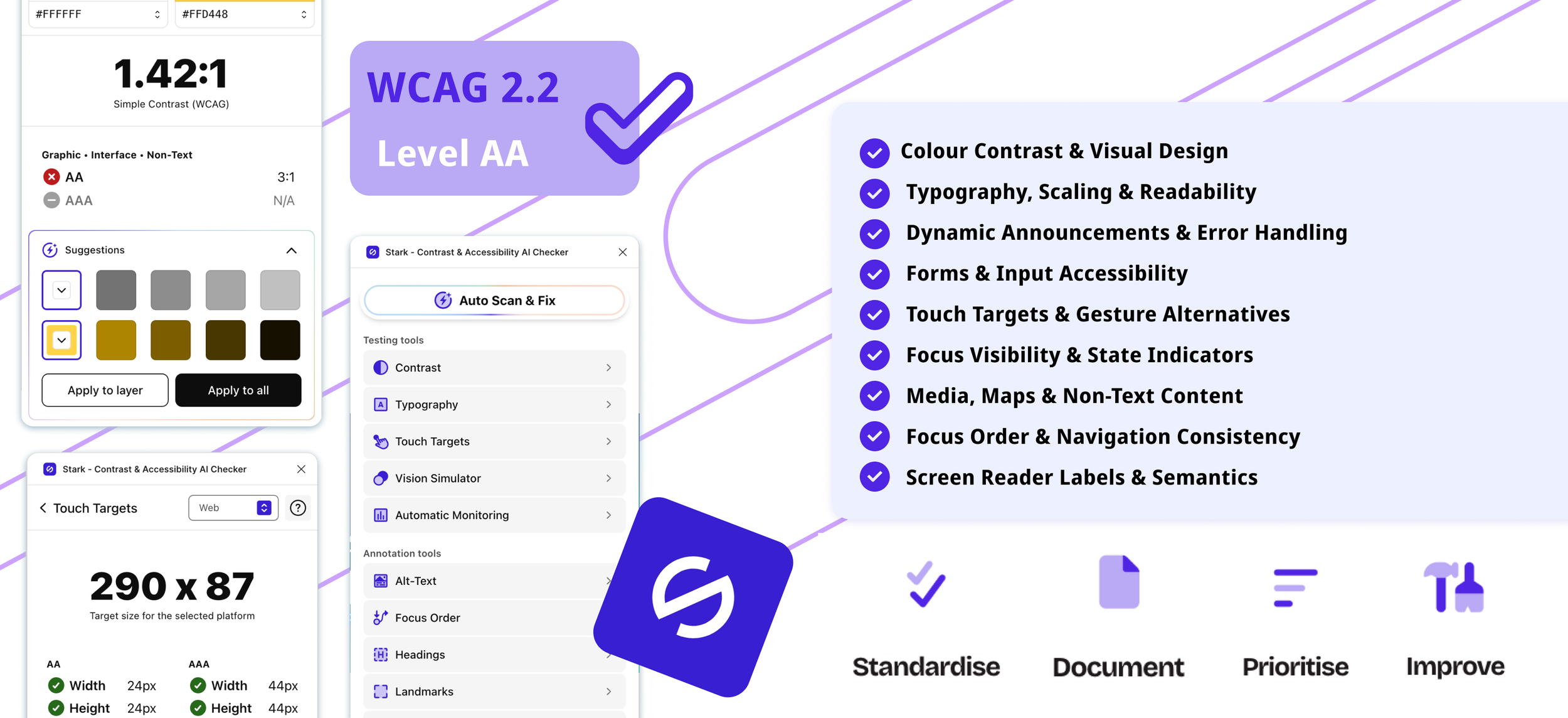
Designed and implemented a WCAG 2.2-based accessibility audit framework that established a consistent approach to evaluate and improve accessibility across multiple digital products.
2026 | UX Designer | 1-2 Months
THE CHALLENGE
The design team lacked a shared framework for identifying and documenting accessibility failures, making it difficult to prioritise and action improvements.
THE GOAL
Develop a standardised accessibility audit framework to drive continuous improvement
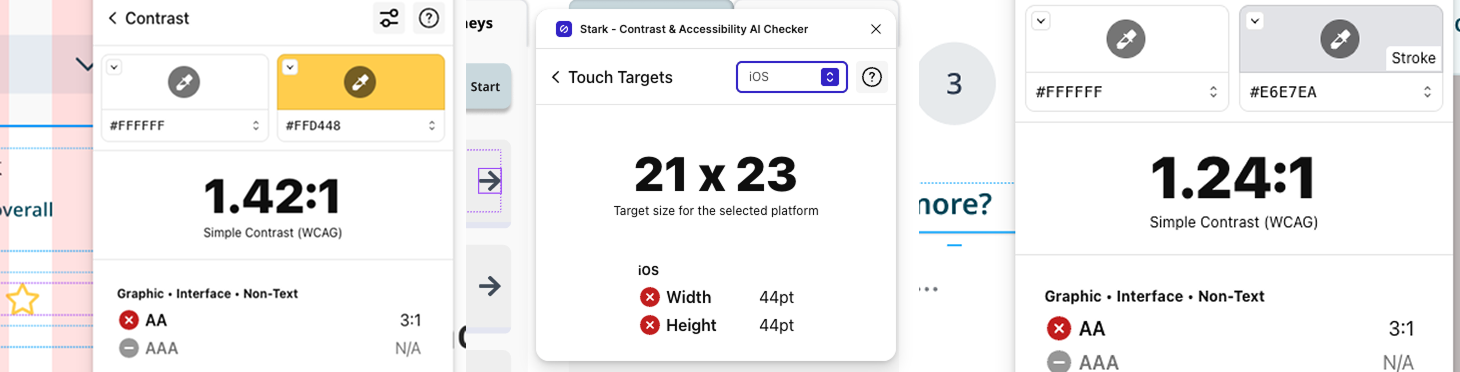
Recurring accessibility issues were appearing throughout the product, but there was no consistent way to audit or document them.

Standardise
Develop a standardised WCAG 2.2 accessibility audit framework

Prioritise
Produce actionable recommendations for designers and developers

Document
Create a consistent method for documenting accessibility findings

Improve
Enable continuous improvement across the company’s products
BACKGROUND
Building an Inclusive Foundation
Inclutech is a Belfast-based technology company that develops inclusive digital products focused on public safety and accessibility.
During my time as a UX designer, I identified the need for a consistent accessibility review process and designed a WCAG 2.2-based audit framework. This was adopted by the UX team and used to evaluate multiple products within the company.
The impact of this work contributed to me being recognised as a finalist for the ‘Outstanding Apprentice’ Award at the Women in Tech Awards 2026.
WOMEN IN TECH AWARDS 2026
‘Outstanding Apprentice’ Finalist
Accessibility is a core value at Inclutech, with all products expected to meet or exceed WCAG 2.2 Level AA standards. As a UX designer, I adopted an inclusive design approach by considering the needs of people of all abilities at every stage. Rather than viewing accessibility as a final ‘tickbox’ exercise, it was incorporated throughout my design process.
My role was to translate this design thinking into a structured, repeatable process by developing a standardised accessibility framework. This provided a consistent way to capture findings, communicate recommendations and support continuous improvements across the company’s products.
UNDERSTANDING ACCESSIBILITY
Covering All Angles of Accessibility
I followed a research driven approach to build the audit framework using WCAG 2.2 as the backbone. This became the foundations for its structure and evaluation criteria, that is based on internationally recognised accessibility standards.
I evaluated scenarios to identify where automated tools, such as the Figma plugin Stark, could support the process, particularly focusing on colour contrast, typography and touch targets. I recognised that automated tools could not be solely relied upon and would result in gaps in the framework. Therefore, I incorporated manual reviews, additional research and the internal accessibility standards. This was to ensure the framework provided comprehensive guidance and actionable outcomes.
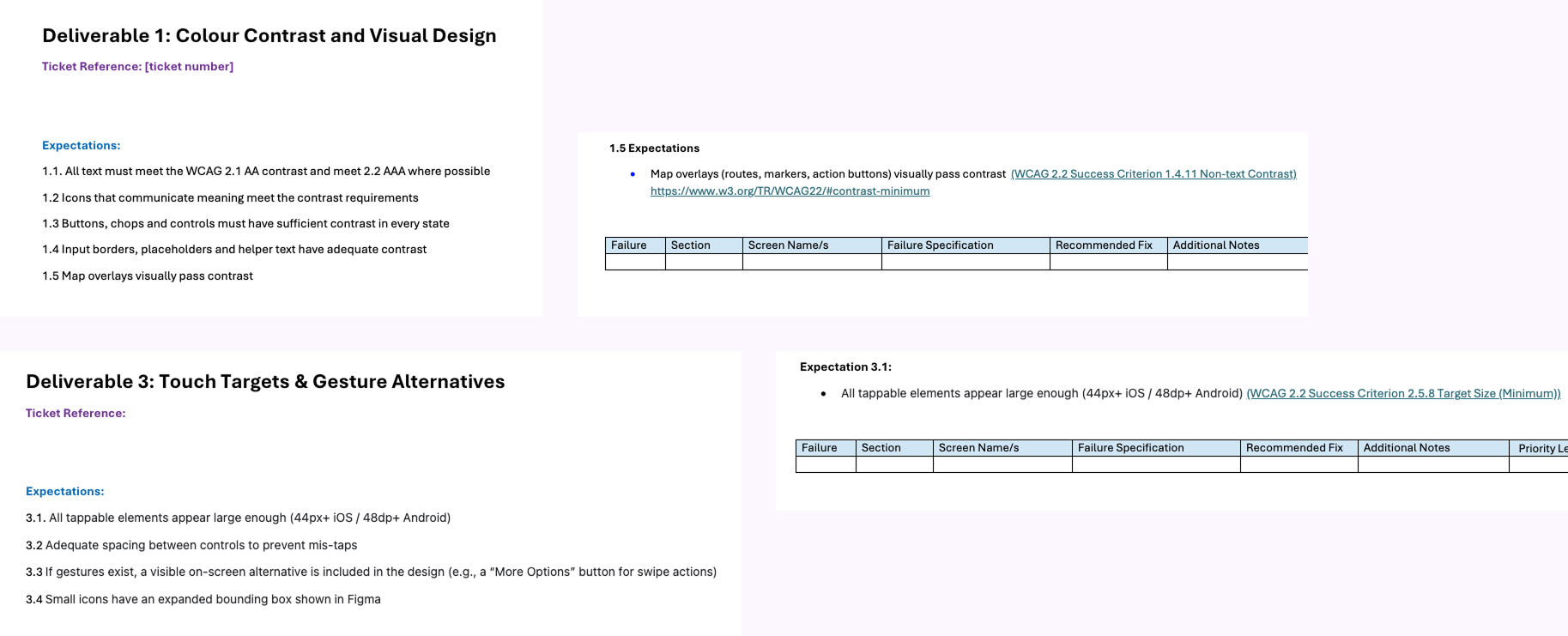
A snapshot of the deliverables and expectations within the framework
BUILDING BLOCKS
Designing the Framework
In a company with multiple different products it would not be efficient to approach every audit independently. Therefore, the framework needed to be structured in a way that accessibility issues can be identified, documented and communicated across the UX team and further onto development. Most importantly, it needed to be repeatable and scalable depending on which product is being audited.
Establishing Audit Categories
To ensure the audit was easy to navigate and thorough, I divided the framework into nine key categories. Each one focused on a specific aspect of the user’s experience and aligned with WCAG 2.2 criteria.
These deliverables were:
Colour Contrast & Visual Design
Typography, Scaling & Readability
Dynamic Announcements & Error Handling
Forms & Input Accessibility
Touch Targets & Gesture Alternatives
Focus Visibility & State Indicators
Media, Maps & Non-Text Content
Focus Order & Navigation Consistency
Screen Reader Labels & Semantics
Each deliverable followed a consistent structure, outlining the accessibility expectations and the relevant WCAG 2.2 success criteria. This provided the UX team with a clear benchmark to evaluated every product against.
Prioritising Accessibility Issues
As not every accessibility failure noted would have the same impact on the user, I created a number of priority levels. This was to help everyone understand where to focus their efforts first. These were categorised according to their severity and effect on the user experience.

Critical
Prevents the users from completing essential tasks

Medium
Creates partial accessibility barriers that reduce the usability

High
Causes significant difficulty for users but may still allow task completion

Low
Prevents the users from completing essential tasks
By prioritising the failures, it enabled the design and development teams to address the most impactful and preventative issues, while being able to maintain a clear plan to resolve all the issues. This was key to help to enable continuous improvements.
Standardising Documentation
It was essential to have a consistent approach to ensure findings could be easily understood and actioned. Every accessibility issue found was documented using a standardised template, helping the team to identify the problem and understand how it should be resolved.
Each accessibility issue discovered included:
Unique failure reference number
Product, feature and screen location, including a direct link to the relevant Figma design
Description of the accessibility failure with screenshots
Recommended solution
Additional notes
Priority level
Associated WCAG 2.2 success criteria
To add further clarity, I included an ‘Identified Failures Overview’. This summarised the number of issues identified within each category and acted as a live checklist as changes were being made. It additionally provided product owners with an understanding at a glance of the accessibility performance and progress of changes being implemented.
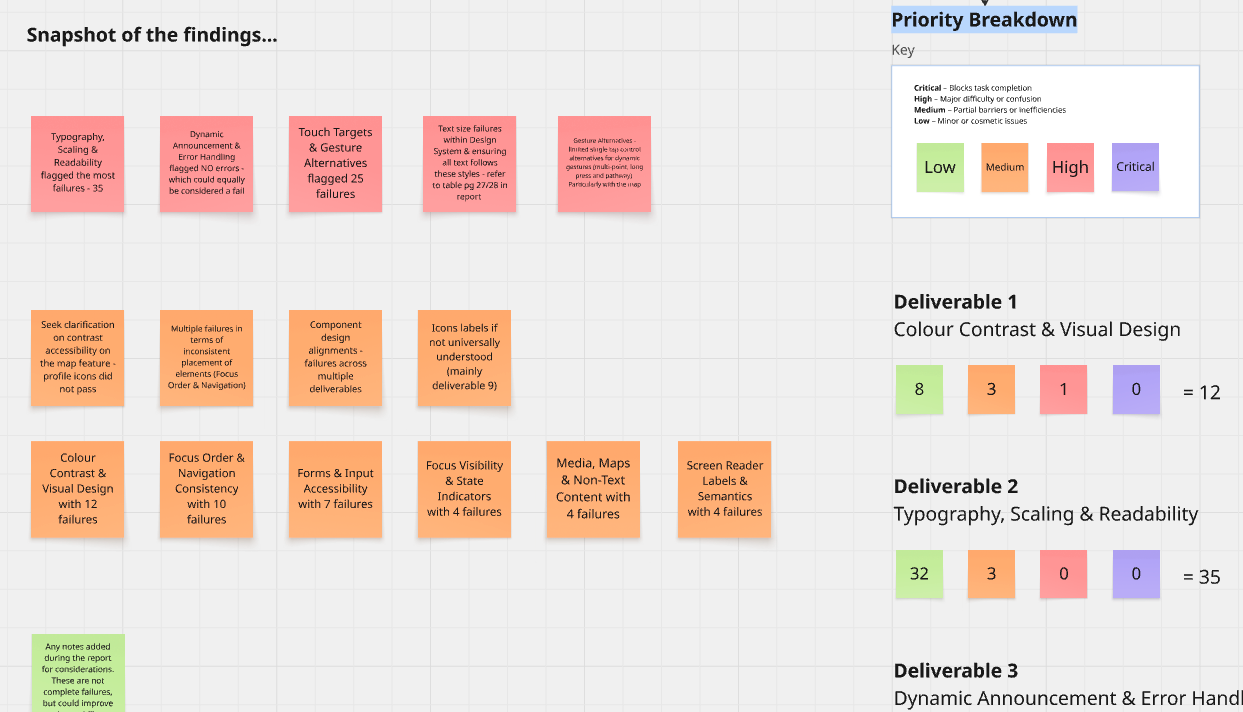
Creating a high level summary and presentation based on the framework created.
Creating a Reusable Framework
A key objective of this challenge was to ensure the framework could be reused across products by the team rather than being recreated for every new audit.
By establishing a consistent methodology, reusable templates and standardised documentation, it became a resource that could be applied to multiple products, regardless of their purpose or complexity. This approach reduced effort and duplication in carrying out audits. This, in turn, became a repeatable part of the design process, rather than a one-off exercise. As new products and features are established, this same framework can be used to maintain sustainable accessibility, following a common standard.
APPLICATION
Putting the Framework into Practice
Once the framework was established, it was applied to several existing products by myself and other design team members. Below is a snapshot of how I carried out the structured approach which enabled consistent identification of accessibility issues across the product being audited.
Example One
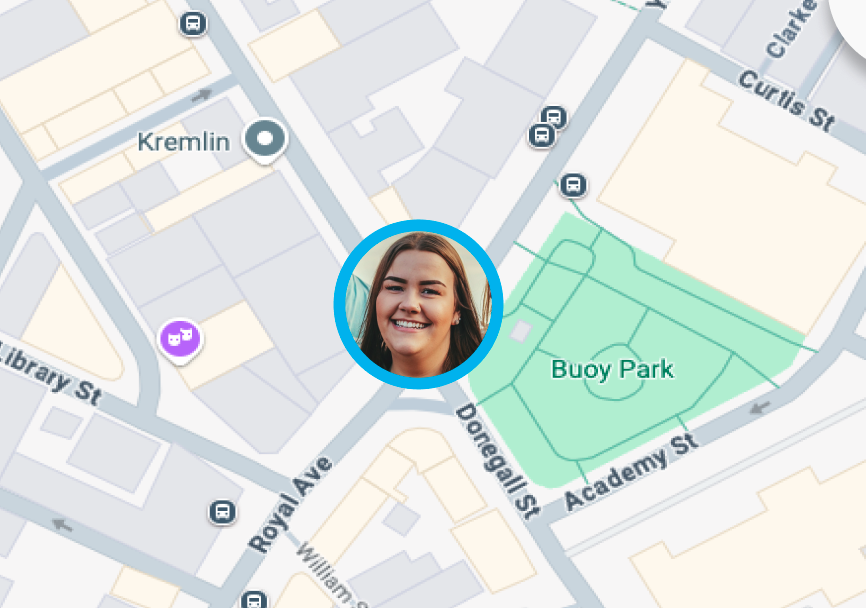
Map Accessibility
Priority level → HIGH
The Issue:
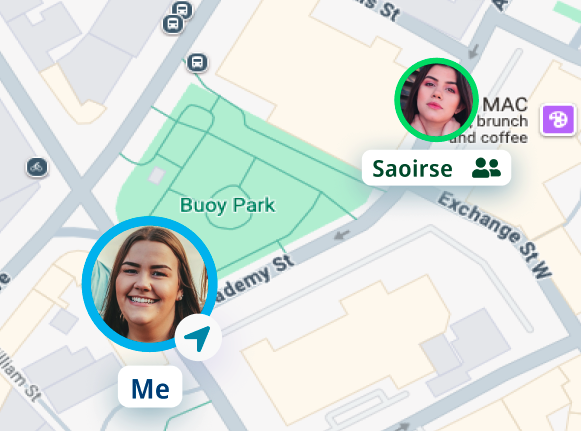
Profile icons on the map failed colour contrast. The outline colour was being used as the main distinguishing feature which was an accessibility issue.
Recommendation:
This was a complicated issue due to the icons being on a map. Therefore, I recommended a team discussion to present the initial findings. Following this, I carried out research to determine the best approach and then present this to the team after.
Outcome:
The solution focused on ensuring that all essential information was perceivable without relying on colour alone. I recommended that profile images should be made mandatory to improve marker recognition, while descriptive labels and a larger user marker helped to provide clear and accessible alternatives. This meant that colour became a supplementary visual cue rather than the primary method of conveying information, the design aligned with WCAG 2.2 by ensuring users could understand the interface through text and interaction alone.
Before
After
Example Two
Example Three
Before
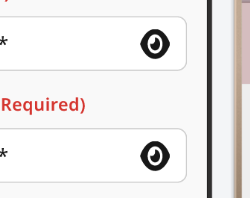
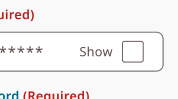
Password Icon Visibility
Priority level → MEDIUM
The Issue:
While reviewing if controls relying on iconography were universally understood, it prompted whether the eye icon for show/hide password was the most accessible and perceivable option.
Recommendation:
Swap the eye icon with text and a checkbox.
Outcome:
Checkboxes and clear text labels were introduced in place of icons that could be open to interpretation, reducing cognitive effort and improving usability for a wider range of users. Because this was the user's first interaction with the product, it was important to eliminate unnecessary confusion and ensure the experience was immediately understandable and accessible.
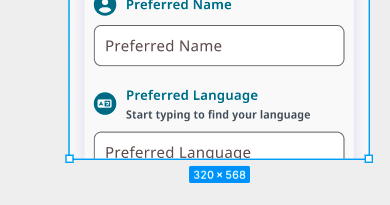
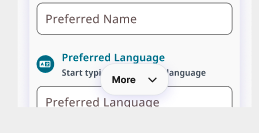
The Issue:
Scrollable and multi-directional screens relied on dynamic gestures to navigate.
Recommendation:
Any functionality that relied on path-based, multi-point or long press gestures are also available through visible, single pointer controls.
Outcome:
All screens, including maps and long forms, have a single tap alternative. This included ‘more’ and ‘top’ buttons and on map navigation controls. By taking this approach, I considered users with a wide range of motor abilities while providing clearer guidance on how to navigate the interface.
Before
Single Tap Alternatives
Priority level → MEDIUM
After
After
THE IMPACT
Embedding Accessibility Across the Team
After creating this framework, it’s impact has been noticeable across the team and products. It was adopted by multiple team members to carry out accessibility audits on additional products.
The new framework provided a cohesive and consistent approach which was evident in presentations of findings when each audit was completed. It also helped reduce the risk of each audit being open to different interpretations and approaches, which contributed to the new consistency being developed.
Carrying out the structure process also helped the design team to begin to identify accessibility issues earlier, both in and outside of carrying out the official audit. The repeated process began to act as a learning process as well, which was efficient and beneficial for everyone.
The creation of this framework moved the company forward in their accessibility drive and focus. It also supported WCAG 2.2 compliance across a number of products. The impact of this work was recognised through being recognised as a finalist for ‘Outstanding Apprentice’ at the 2026 Women in Tech Awards.
Reflection
What began as a solution to improve accessibility on a single product evolved into a company wide framework that standardised the way accessibility was reviewed across all products. Throughout the process, my perspective shifted from viewing accessibility as a compliance requirement to recognising it as a fundamental part of creating inclusive experiences for all users. It reinforced to me that accessibility is not an afterthought but that it is essential to ensuring products are usable by everyone.
Designing the framework also strengthened my understanding of WCAG 2.2 and demonstrated to me how UX designers can influence change beyond the individual screens. By creating a shared process and documentation, I established a consistent approach that enabled the entire team to embed accessibility into their workflow. This experience showed me that frameworks and design processes can have a lasting impact on both team practices and the quality of the user experience.